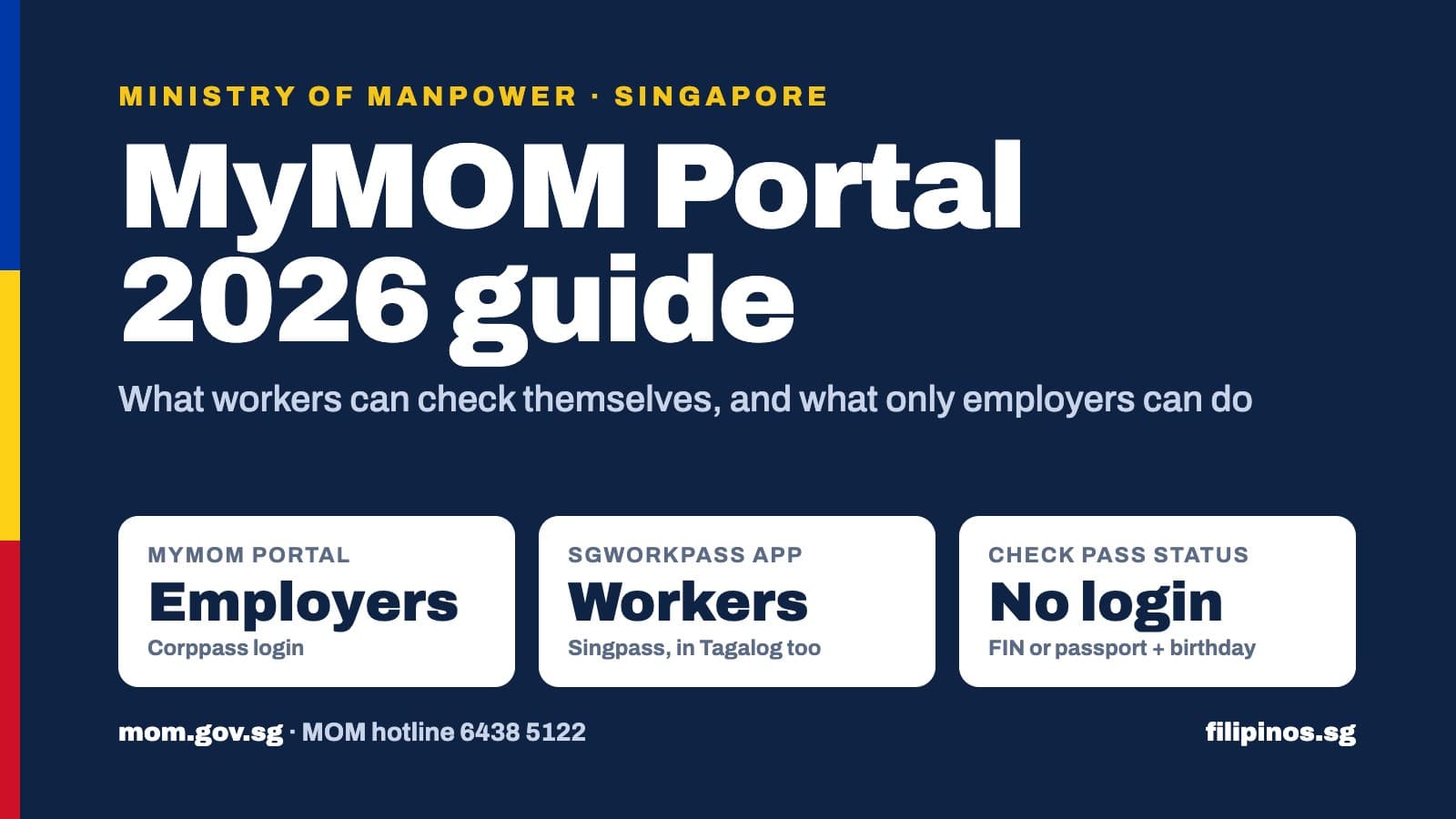
The myMOM Portal is the Ministry of Manpower's online portal for employers and employment agencies, who log in with Corppass, so a worker cannot sign in to it (source). To check your own pass, kababayan, use the SGWorkPass app with Singpass, or MOM's Check work pass and application status eService with your date of birth and FIN or passport number (source) (source).
What the myMOM Portal is (and how it relates to SGWorkPass, WP Online and EP Online)
MOM describes myMOM Portal as one login for employers to see their workforce and work pass holders, manage passes, and check and pay foreign worker levy bills (source). MOM keeps moving Work Permit transactions from WP Online into myMOM Portal through 2027 (source).
SGWorkPass runs in Tagalog. Switch it under More > Language (source).
Helpers: check the salary in the app against your contract and payslip. If your rest-day pay looks off, read our rest day pay guide.
What only your employer or agent can do
Every pass transaction sits on the employer side:
EP, S Pass and family passes: apply, renew, appeal, issue, cancel, withdraw or replace, through myMOM Portal (source).
Work Permits for businesses: apply, appeal, get the permit issued, cancel, request a Special Pass, and give consent for a transfer, through myMOM Portal (source). Renewals, reinstatements and card replacements stay on WP Online (source).
Helpers: apply, issue, cancel, extend an IPA, get a short extension, reinstate, renew, and reprint the 6ME letter, through the FDW eService. A sponsor or an approved family member can act for the employer (source).
Correcting your details: if your occupation, salary or employer name is wrong, your employer or agent updates it. You can also contact MOM (source).
How to log in
Workers (SGWorkPass):
Register for Singpass at singpass.gov.sg. MOM's guide shows registration with face verification and a one-time PIN sent to your Singapore mobile number (source). MOM also links a Tagalog version from the SGWorkPass page (source).
Download SGWorkPass (iOS, Android or Huawei HarmonyOS) and log in with Singpass (source).
Set a screen lock on your phone first. The app requires one (source).
Business employers (myMOM Portal): the company needs Corppass and an EP eService or WP Online account, registered through Work Pass Account Registration with Singpass and the company UEN. The Corppass admin then assigns myMOM Portal to each user (source). A foreign employee on an EP, PEP or S Pass can serve as administrator or user (source). Salary rules for that pass sit in our S Pass salary guide.
Helper employers: open the FDW eService and choose "Log in with Singpass" for employer or sponsor (source).
Checking your work pass status and validity
Go to mom.gov.sg/eservices/services/check-work-pass-and-application-status.
Enter your date of birth, then your FIN or passport number.
Read the status. You can save it as a PDF with the date and time stamped on it.
New applicant without a FIN? Use your passport number, or ask your employer or agent for the IPA letter, which shows your FIN. If you see "Multiple results are found," your passport links to more than one FIN, so use the FIN. Passes cancelled or expired more than 6 months ago no longer show (source).
Before you fly in, compare the salary and job on the portal with your offer. MOM says you may reject the offer if you disagree (source).
Work permit cancellation and changing employer: what the portal shows
From 20 July 2026, business employers cancel Work Permits on myMOM Portal and see the outcome right after submitting (source). We covered that change in our July 2026 cancellation report.
Advertisement
What it means for you:
Your employer must cancel within 1 week after your last day of notice, and must settle salary and other employment issues first (source).
After cancellation you cannot work. You receive a Special Pass to stay until departure, and your employer buys a one-way ticket within 14 days (source). For helpers the window is 2 weeks (source).
In SGWorkPass, a cancelled or expired pass shows as Invalid (source). Changes appear within 1 working day (source).
Changing employer on a non-domestic Work Permit: your current employer gets an SMS or email and must give consent on myMOM Portal within 7 days, or MOM rejects the application (source).
Helpers moving to a new employer follow a separate path. Read our helper transfer guide.
Common problems and fixes
Problem
Fix
Employer sees a Corppass "unauthorised" error
Corppass admin assigns myMOM Portal under eService Access (source)
Employer account gone after a long break
MOM terminates accounts with no activity for 12 months. Log in every 3 months (source)
WP Online logs you out
Use a desktop; avoid Back, refresh or multiple tabs (source)
Employer applies for a replacement within 1 week (source)
Where to get help
MOM: 6438 5122, Monday to Friday, 8.30am to 5.30pm, for enquiries and reports on salary, housing or illegal deployment. Outside those hours, use the online feedback form (source). The MOM Services Centre sits at 1500 Bendemeer Road (source).
Scams: MOM officers never ask for money or bank logins. Call ScamShield on 1799 (source).
Helpers: the Centre for Domestic Employees (CDE), an NTUC initiative, runs a 24-hour helpline at 1800 2255 233 (source). Our CDE helpline guide covers what they handle.
OFWs: Migrant Workers Office Singapore, 20 Nassim Road. Office +65 6040 6506, emergency hotline +65 9113 6552. The MWO site also lists +65 6040 6507 and a second emergency line, +65 9023 5601 (source).
For life-threatening matters, MOM directs you to the Police (source).
FAQ
Can a Filipino worker log in to the myMOM Portal?
No. It needs Corppass and an employer work pass account. You use SGWorkPass or the no-login status eService.
How do I check if my work pass is still valid?
Advertisement
Open your digital pass in SGWorkPass, or enter your date of birth and FIN or passport number on MOM's Check work pass and application status page. No login needed for the second option.
Where can I see the salary my employer declared to MOM?
Tap Employment Info in SGWorkPass and verify with your phone's lock. Updates show 1 working day after your employer notifies MOM.
My SGWorkPass shows Invalid. What does that mean?
Your employer cancelled your pass or it expired, and you can no longer work. Ask your employer to check WP Online or EP eService. If your employer cancelled without telling you, call MOM on 6438 5122.
Can I cancel my own Work Permit or transfer myself?
No. The employer, the agent, or a helper's sponsor cancels. For a transfer, your new employer applies and your current employer consents on myMOM Portal within 7 days.
I don't have Singpass. Can I still check my pass?
Yes, through the status eService. For SGWorkPass, register for Singpass first using MOM's Tagalog guide.
I'm Filipino HR staff on an S Pass. Can I use myMOM Portal for my company?
Yes, if your company appoints you. EP, PEP and S Pass holders can serve as administrators or users, and the Corppass admin assigns your access.
Can a Filipino worker log in to the myMOM Portal?+
No. MOM built the myMOM Portal for employers and employment agencies, and it needs a Corppass login plus an EP eService or WP Online account. As a worker, you use the SGWorkPass app with your Singpass, or MOM's Check work pass and application status eService.
How do I check if my work pass is still valid?+
Open your digital work pass in the SGWorkPass app, or go to MOM's Check work pass and application status page and enter your date of birth and your FIN or passport number. The eService needs no login and lets you save the result as a PDF.
Where can I see the salary my employer declared to MOM?+
Work Permit holders, including helpers, can tap Employment Info in SGWorkPass and verify with their phone's PIN, fingerprint or Face ID. Salary updates show 1 working day after your employer notifies MOM. New applicants can check salary on the status eService using the Date of Application on the IPA.
My SGWorkPass shows my pass as Invalid. What does that mean?+
MOM says an Invalid status means your employer cancelled your pass or it expired, and you can no longer work. Ask your employer to log in to WP Online or EP eService to check and fix the cause. If you think your employer cancelled without telling you, call MOM on 6438 5122.
Can I cancel my own Work Permit or transfer myself to a new employer?+
No. Only the employer or employment agent can cancel a Work Permit, and a helper's sponsor can also do it. For non-domestic Work Permits, the new employer applies and your current employer gives consent on myMOM Portal within 7 days, or the application gets rejected.
I don't have Singpass. Can I still check my pass?+
Yes. The Check work pass and application status eService needs only your date of birth and FIN or passport number. To use SGWorkPass, register for Singpass first; MOM publishes a step-by-step Singpass registration guide in Tagalog.
I'm a Filipino HR staff on S Pass. Can I manage my company's work passes?+
Yes, if your company appoints you. MOM allows a foreign employee holding an EP, PEP or S Pass under that company to act as an EP eService or WP Online administrator or user. Your Corppass admin must also assign myMOM Portal to your Corppass account.